Power the convertor, then open Wi-Fi settings on your computer.
Join CAN Convertor RPM. Earlier documentation also calls the network CAN Convertor. The documented Wi-Fi password is 1234567890.
Enter http://192.168.200.1 in the browser address bar. If an older interface prompts for a browser login, its documented username is can and password is convertor.
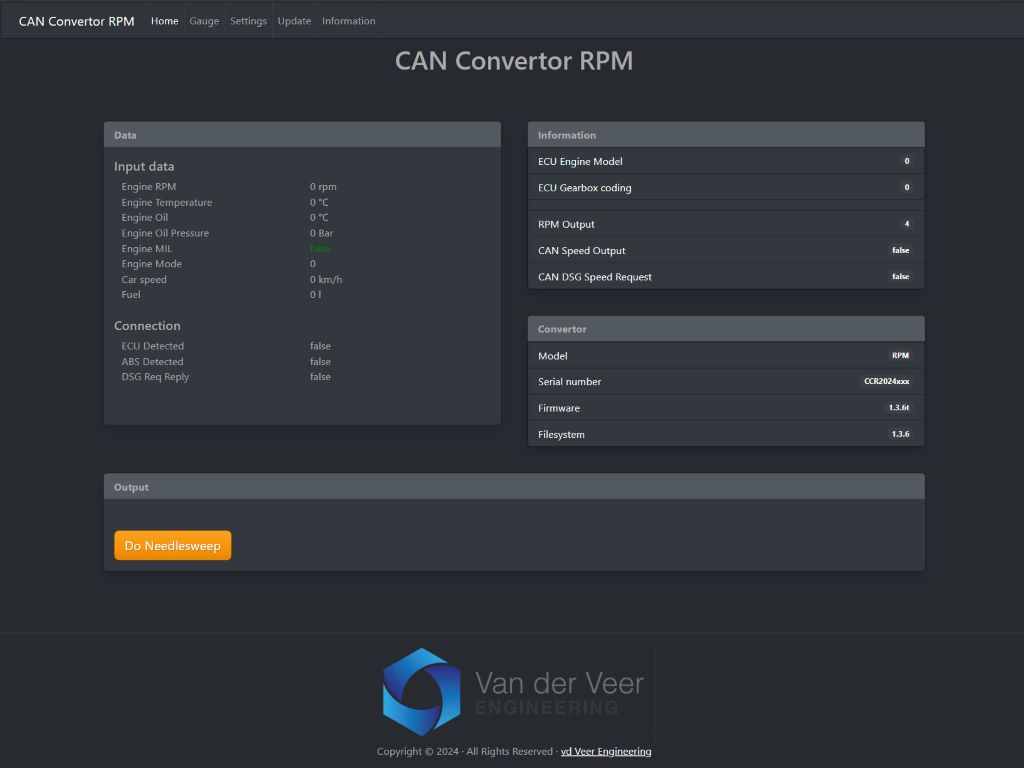
Open Home to view input data, connection indicators and the convertor’s firmware and filesystem versions. Open Settings to change the configuration.
If the page does not open, check that the convertor has power and that your computer is still connected to the convertor’s Wi-Fi network.
Set the tachometer output
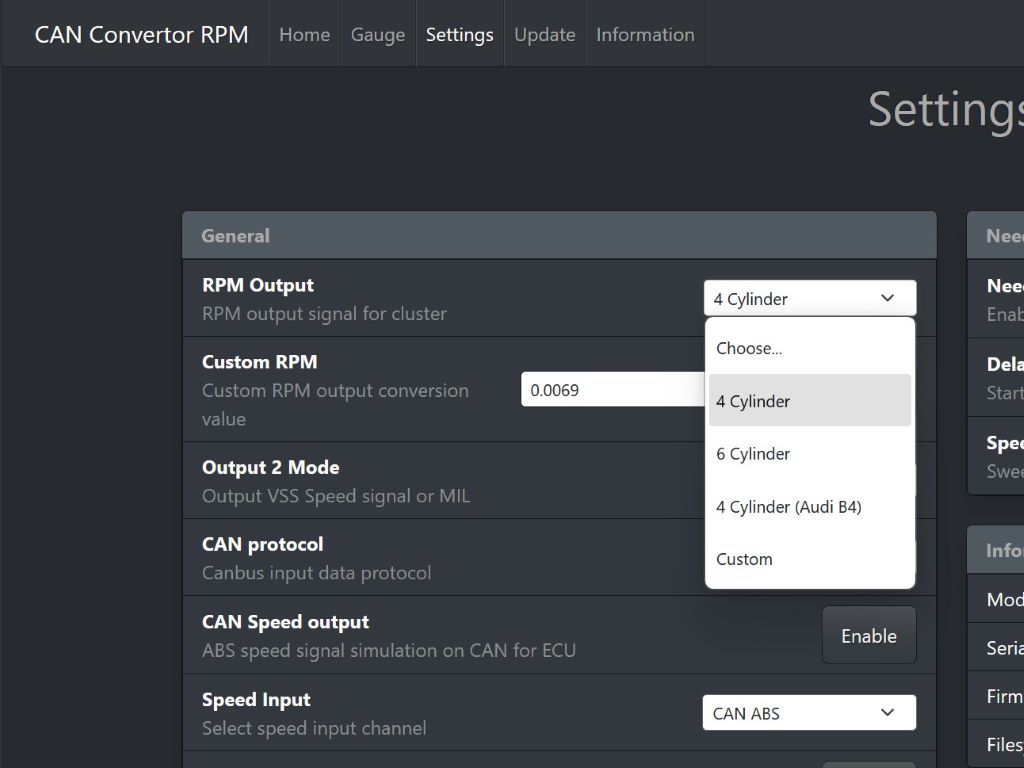
In Settings → RPM Output, select the option for the instrument cluster. The documented choices are 4 Cylinder, 6 Cylinder, 4 Cylinder (Audi B4) and Custom. Examples from the manual include 4 Cylinder for a Golf Mk2 cluster and 6 Cylinder for a Golf Mk3 VR6 cluster.
In Custom mode, adjust Custom RPM in small increments and compare the cluster reading with the engine RPM reported by the web interface. For the physical Coil and Digital outputs, see the connector pinout.
Set the CAN protocol and speed source
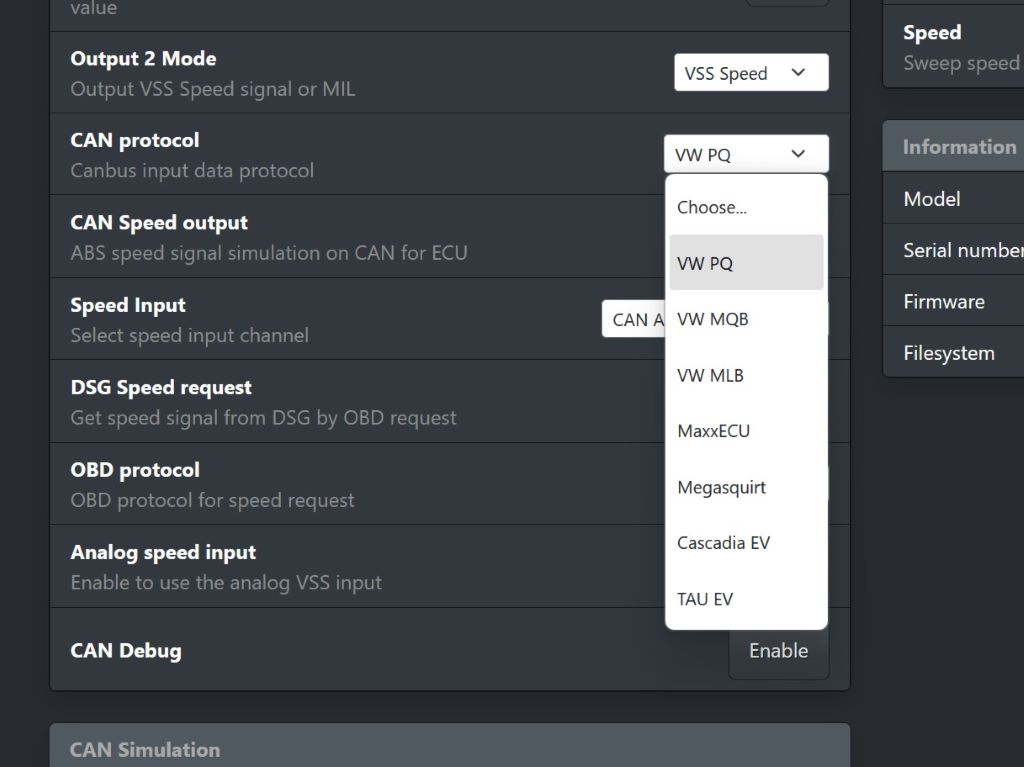
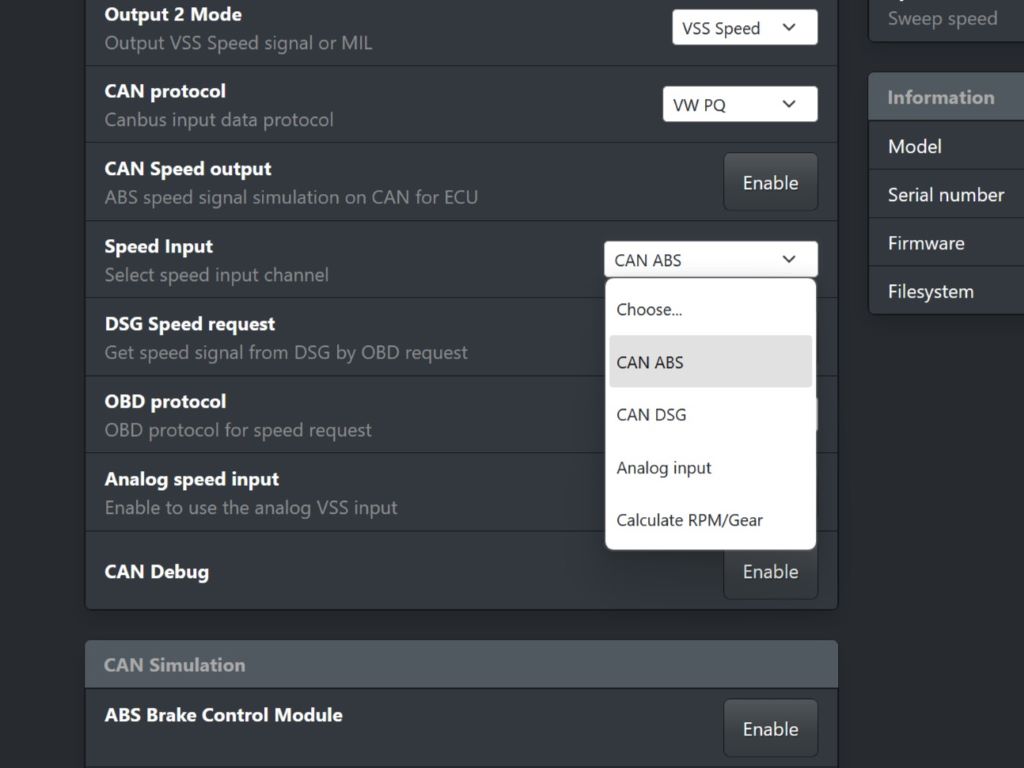
Choose CAN Protocol for the ECU or EV controller supplying the data. The illustrated menu includes VW PQ, VW MQB, VW MLB, MaxxECU, Megasquirt, Cascadia EV and TAU EV. Confirm the source ECU and platform for an engine swap.
CAN ABS: Use speed data from an ABS module on CAN.
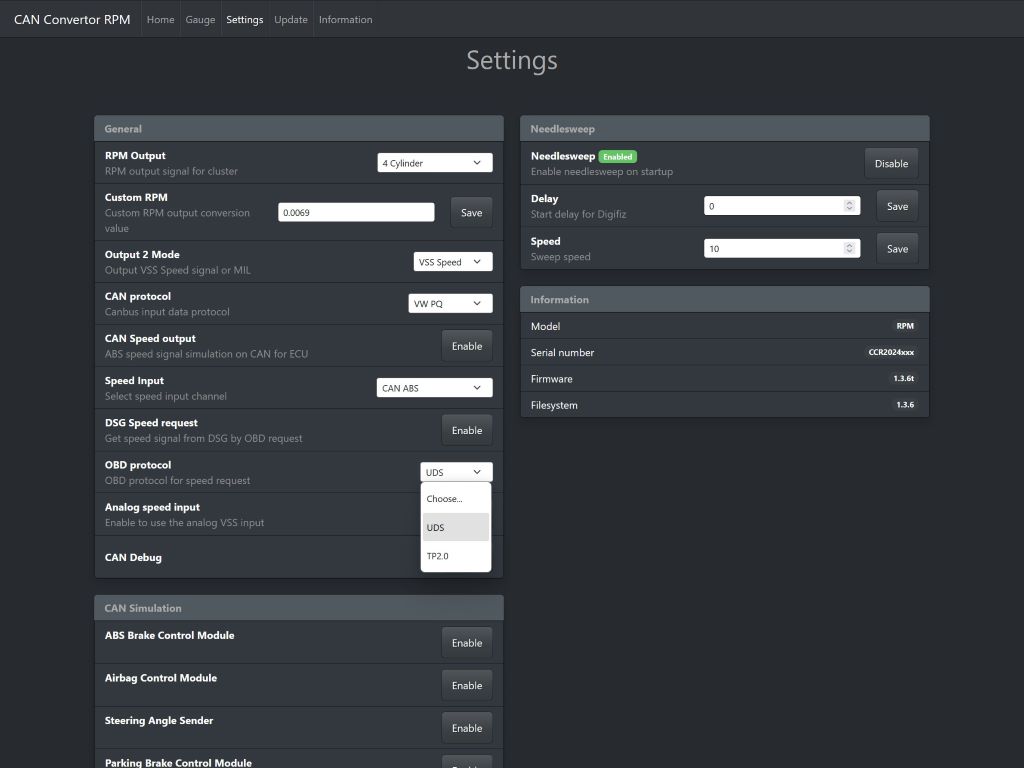
CAN DSG: Use DSG speed when that is your configured source. If using DSG Speed request, select the OBD protocol supported by the gearbox, TP2.0 or UDS. Disable the DSG speed request during OBD diagnostics because it can interfere with diagnostic tools.
Analog input: Use a vehicle speed sensor connected to the VSS input and enable Analog speed input.
CAN Speed output: The convertor can transmit an ABS-style speed signal on CAN when it receives speed input.
Output 2 Mode selects VSS Speed or MIL for Output 2. The pinout lists a separate ground-switched MIL output on pin 4.
Needle sweep and output tests
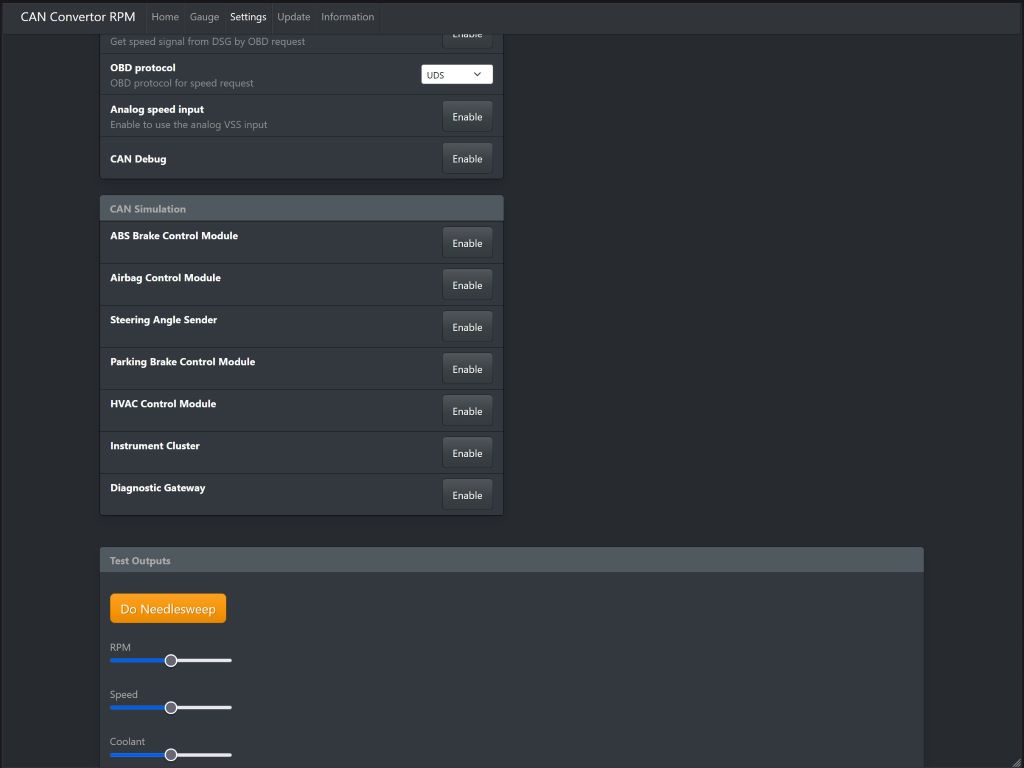
Needlesweep controls the startup sweep. Delay is in seconds and can give a Digifiz cluster time to display its startup messages. A lower Speed setting makes the sweep faster. The manual lists 10 as the default sweep speed.
Do Needlesweep: Exercise the RPM and speed outputs.
RPM: Test from 0 to 7,000 rpm when there is no incoming ECU RPM signal.
Speed: Test from 0 to 250 km/h when there is no incoming speed signal.
Coolant: Test the coolant output where the convertor supports it.
CAN diagnostics and simulation
CAN Debug is available for support when CAN data needs to be analysed. The CAN Simulation panel lists module-message simulations, including ABS, airbag, steering angle, parking brake, HVAC, instrument cluster and diagnostic gateway. For help assessing a specific fault or engine swap, send support the DTC and your configuration.
When reporting a problem, include the convertor model and serial number, current firmware and filesystem versions, source ECU, cluster and the readings or fault codes you see.