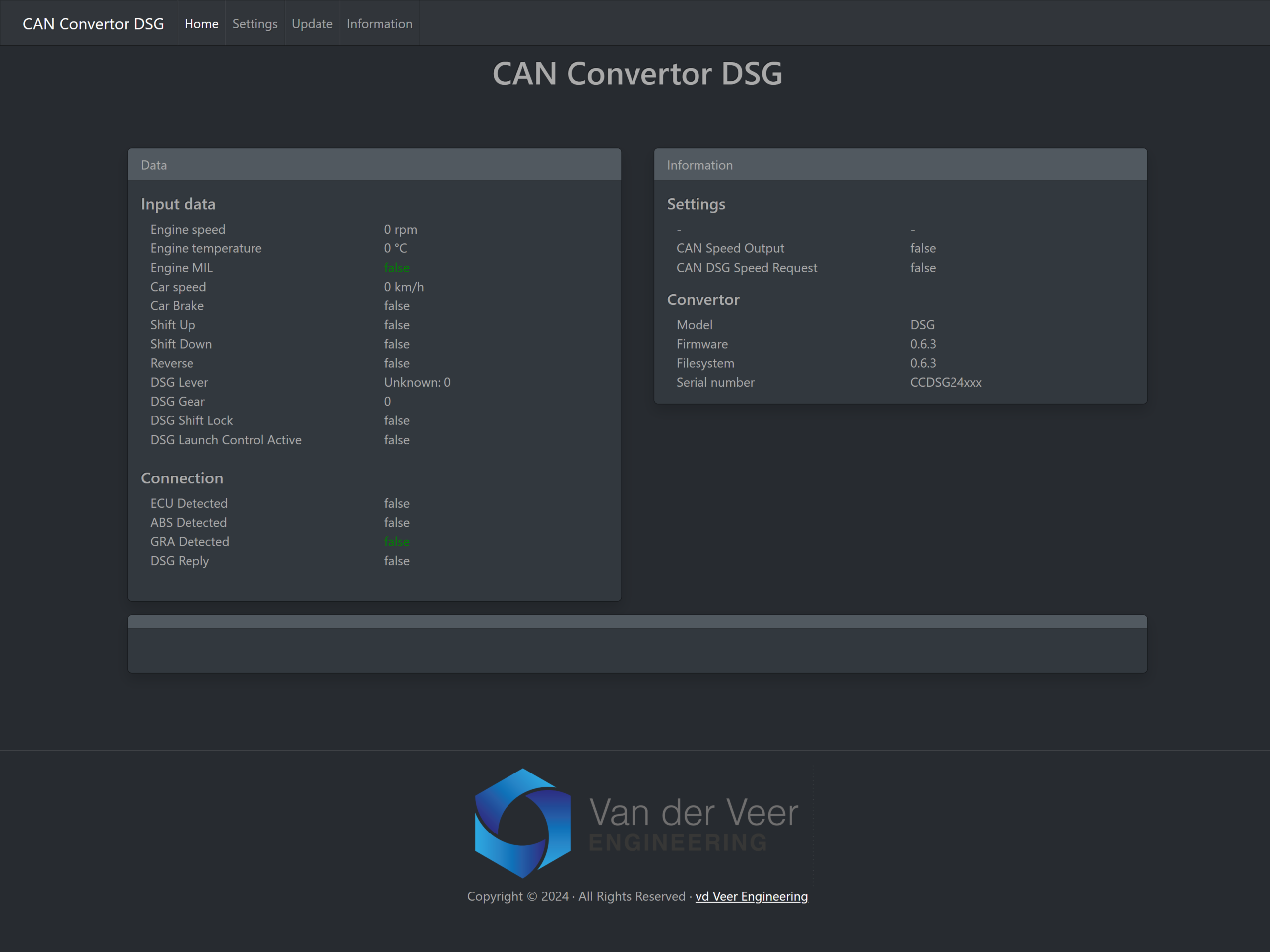
CAN Convertor DSG Supportadmin2026-11-10T14:49:29+01:00 VE PRODUCT SUPPORT CAN Convertor DSGSupport Find the wiring reference, configure your DSG setup, and update your CAN Convertor DSG. Search support Search Quick links Installation Manual Web setup Firmware What do you need help with? Installation & wiring Find the DSG connector pinout, input and output connections, and first checks. Open the installation guide Wi-Fi & configuration Connect to the convertor and open the browser-based settings. Connect over Wi-Fi Firmware & updates Find the firmware ZIP and follow the update steps for firmware and the web interface. How to update Troubleshooting Check missing speed, brake or paddle signals and the CAN connection indicators. Open diagnostics Product manual Look up CAN protocols, speed sources, paddle modes and web interface settings. Open the manual Gearbox compatibility Check the gearbox, TCU and CAN network for your PQ or MQB setup. Check your setup SUPPORT GUIDES Start with these guides Go straight to the wiring, web settings or firmware procedure. Release history INSTALLATION · WIRING CAN Convertor DSG installation View connector pinout → MANUAL · WI-FI & SETTINGS CAN Convertor DSG manual Open the manual → FIRMWARE · UPDATE Update the firmware and web interface View update instructions → TECHNICAL REFERENCE Additional resources Find the full PDF, connector reference and earlier firmware changes. PDF manual Download the full manufacturer manual. Connector pinout See wire colours and functions for the 12-pin connector. Release notes See changes by firmware version. Firmware download Get the official firmware and filesystem ZIP. LATEST PUBLISHED RELEASE Latest Release Release notes Stable Latest CAN Convertor DSG Firmware v0.6.3 Released: 23 December 2025 View release notes Review the changes and confirm which firmware package applies to your convertor. Update instructions WI-FI & CONFIGURATION CAN Convertor DSG web interface Connect to the convertor’s Wi-Fi to check incoming signals, configure outputs and see the installed firmware and filesystem versions. How to connect Settings reference NEED MORE HELP? Can’t find what you’re looking for? Send your convertor serial number, firmware version, vehicle, ECU and gearbox or TCU details, and describe the issue. Contact support Product overview
Latest Release Release notes Stable Latest CAN Convertor DSG Firmware v0.6.3 Released: 23 December 2025 View release notes