

TECHNICAL DOCUMENTATION
SSP 061 Satellite navigation system
Loading PDF…
Read document text
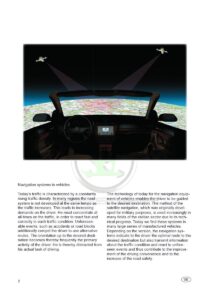
Navigation systems in vehicles Today‘s traf fic is characterized by a constantly The technology of today for the navigation equipProtected by copyright. Copying for private or commercial purposes, in part or in whole, is not permitted rising traf fic density. In many regions the road ment of vehicles enables the driver to be guided unless authorised by ŠKODA AUTO A. S. ŠKODA AUTO A. S. does not guarantee or accept any liability with respect the correctness of information document. Copyright by ŠKODA AUTO A. S. � system is not developed at thetosame tempo as in this to the desired destination. The method of the the traf fic increases. This leads to increasing satellite navigation, which was originally develdemands on the driver. He must concentrate at oped for military purposes, is used increasingly in all times on the traf fic, in order to react fast and many fields of the civilian sector due to its techcorrectly in each traf fic condition. Unforeseenical progress. Today we find these systems in able events, such as accidents or road blocks many large series of manufactured vehicles. additionally compel the driver to use alternative Depending on the version, the navigation sysroutes. The orientation up to the desired destitems indicate to the driver the optimal route to the nation becomes thereby frequently the primary desired destination but also transmit information activity of the driver. He is thereby distracted from about the traf fic condition and react to unforehis actual task of driving. seen events and thus contribute to the improvement of the driving convenience and to the increase of the road safety.2GB
ContentsGPS satellite navigation system Component parts of the GPS navigation system Principles of the GPS navigation system Malfunction of the satellite reception Supplementary functions in the vehicle Function description of the SNS* Installation of the SNS in Škoda vehicles The components of the SNS SNS in Škoda vehicles Function overview Technical specification System overviewProtected by copyright. Copying for private or commercial purposes, in part or in whole, is not permitted unless authorised by ŠKODA AUTO A. S. ŠKODA AUTO A. S. does not guarantee or accept any liability with respect to the correctness of information in this document. Copyright by ŠKODA AUTO A. S.�4 5 7 8 9 10 11 12 18 22 38 42You will find instructions for installation and removal, repairs, diagnostics and a detailed Owner‘s Manual in the repair manuals, in the diagnostic unit VAS 5052/5051 and in the onboard literature. Time of going to press was on the 10/05. This brochure is not subject to the update.* SNS = Satellite Navigation SystemGB3
GPS satellite navigation systemWhat is GPSGPS (Global Positioning System), global locating system is a world-wide radio navigation system supported by satellites for the real-time determination of the location of a random number of objects at each point of the earth.SP61_01History of the GPSGPS TodayThe system was originally developed since the Since the unrestricted release for civilian use, 70‘s in the USA for accurately locating military and due to the technological progress (miniaturiobjects and for the navigation of rockets. zation and price reduction of electronics, lowering The use for civilian or private purposes was not of the power requirement), the satellite navigafeasible until 1993 due to strategic, technological tion systems (SNS) find even broader application and financial reasons. Even after the release, the within civilian sectors. The original development Protected by copyright. Copying for private or commercial purposes, in part or in whole, is not permitted data sent by satellites were still A. manipulated of the system for military purposes enables a lounless authorised bythe ŠKODA AUTO A. S. Š KODA AUTO S. does not guarantee or accept any liability with respect to the correctness of information in this document. Copyright by ŠKODA AUTO A. S.� out of strategic reasons by means of a special cating accuracy of approx. 15 - 20 m. At present procedure. Until May 2000, an interference signal the GPS is the most ef ficient and most reliable and at the same time a correction signal were system for world-wide locating. added to the use signal by means of a random generator, which could not be decoded with all generally accessible means. Thus the accuracy of locating the non-military user and objects was limited to approximately 64 to 100 m.4GB
Component parts of the GPS navigation systemMain elements of the GPS navigation systemThe GPS radio navigation system consists of three segments: 1. Cosmic segment 2. Control segment 3. User segmentCosmic segmentControl segmentUser segmentColorado SpringsSP61_02The cosmic segment comprises: • 24 satellites • in 6 earth orbits (4 satellites each per orbit) The orbits are at an altitude of 20.200 km above the earth‘s surface with an inclination of 55 degrees to the equator and an orbital time of approximately 12 hours. This positioning theoretically the or connecProtected by copyright. enables Copying for private commercial purposes, in part or in whole, is not permitted unless authorised by Š KODA AUTO A. S. Š KODA AUTO A. S. does not guarantee or accept any liability tion to at least 4 satellites from each point of the with respect to the correctness of information in this document. Copyright by ŠKODA AUTO A. S.� earth.SP61_03GB5
Component parts of the GPS navigation systemThe control segment consists of: • 10 monitor stations with terrestrial antennas, distributed over the whole world • the control center in Colorado Springs The monitor stations pick up constantly the data of the satellites in orbit and transmit this data to the control center in Colorado Springs. Here the data of the orbits is evaluated and corrections of the orbits and orbital times are carried out. These details are then sent via the monitor stations to the satellites in the orbits. Thus the data is constantly updated. The user segment There are two types of GPS receivers used in the Protected by copyright. Copying for private or commercial purposes, in part or in whole, is not permitted user segment: unless authorised by ŠKODA AUTO A. S. ŠKODA AUTO A. S. does not guarantee or accept any liabilitywith respect to the correctness of information in this document. Copyright by ŠKODA AUTO A. S.�Colorado springs Hawaii Ascensian Island Diego Garcia KwajeleinControl center Monitor stations SP61_04• Portable GPS receivers • Fixed installed GPS receivers, (e.g. in vehicles) Portable GPS receivers Most of the modern portable GPS receivers can read memory cards and enter up to 50 destination points on the path. The memory covers a map of the world and a detailed European map. On the European map most of the roads, cities and towns with more than 500 inhabitants are registered. They are small, compact and accurate. However most of them are not suitable for the optimization of travel routes on roads and motorways. Fixed installed GPS receivers (e.g. in vehicles) Vehicle fixed-GPS systems are designed exclusively for the determination (optimal) of the travel route to the selected destination. Their advantage is the ability to adapt to the current traffic conditions and if necessary to give constant route assistance to the driver.SP61_06 SP61_056GB
Principles of the GPS navigation systemSatellite-assisted locatingAltogether 24 satellites of the GPS system rotate the earth at an altitude of approximately 20.000 km in 6 orbits. The orbital time is about 12 hours. These satellites are actually direction finding transmitters on one orbit and send in milliseconds their identification code, information about their position and a very exact time signal. These signals go at the speed of light (300.000 km.s-1). The GPS receiver on earth receives this data, decodes it and calculates the distance between the user and the satellites, and/or the location of the equipment by means of an ef ficient microcomputer. This method is based on the evaluation of the time difference between transmitting and receiving the signal.The reception of the signals from at least three satellites is necessary Protected by copyright. Copying for private or commercial purposes, in part or in whole, is not permitted the locating on the earth sur- or accept any liability unless authorised byfor ŠKODA AUTO A. S. ŠKODA AUTO A. S. does not guarantee with respect to the correctness of information in this document. Copyright by ŠKODA AUTO A. S.� face. If the distance to at least 3 satellites is known, the object (car) is located on the cross-section of 3 spherical surfaces with the satellites as its center point. Furthermore, the fourth surface is the earth‘s surface. The locating can be accurately calculated by determining the distance to other satellites. Distance calculation The distance between the user and the satellite is therefore calculated by multiplication of the speed of light (300.000 km.s-1) with the running time of the signal that means the time, which has elapsed between transmitting and receiving the signal. For this purpose very precise numerical details on both sides of the connection are necessary. Therefore a cesium or a rubidium oscillator, which serves as normal time, is located on each satellite. So that also the clock in the GPS receiver has the same accuracy, the so-called Clock offset is calculated from the received signal, which enables together with the exact timing sent by the satellite the determination of the time with an accuracy under 1 microseconds. The ef ficient microcomputer in the GPS receiver then calculates based on the distance to several satellites its position on the earth‘s surface, which it can illustrate in different formats. First of all the receiver makes copies of the received signals and synchronizes them. Thus the so-called pseudo distance is determined by the receiving satellites. The GPS receiver calculates its exact location from their known positions.SP61_07GB7
Malfunction of the satellite receptionReception interferences of the satellite signalsReception interferences occur when the transmitter of the satellite cannot „see“ the receiver of the radio navigation system or the satellite signal is deflected by buildings, mountains etc.In the following situations the radio communication with the satellites can be interrupted or hampered: • in tunnels • in underground garages or multi-storey car parks • in low valleys • partly between high buildingsThis can lead to the fact that a determination of a position is not at all or inaccurately performed.SP61_25Although the satellite detection for the radio navigation system serves as a main information sender, the system can nevertheless compensate briefly for the reception interferences. The driving direction and distance are calculated only via the turning angle sensor and the moment of momentum of the ABS speed sender.A comparison with the GPS signals cannot be carried out and this leads to a higher inaccuracy during the positioning for the duration of the reception interference.unless authorised by ŠKODA AUTO A. S. ŠKODA AUTO A. S. does not guarantee or accept any liability with respect to the correctness of information in this document. Copyright by ŠKODA AUTO A. S.�As soon as the GPS signals are received again, a correction of the previously calculated positioning is performed. Protected by copyright. Copying for private or commercial purposes, in part or in whole, is not permitted8GB
Supplementary functions in the vehicleSupplementary functions in the vehicleThe locating by GPS is assisted through supplementary system components of the navigation system integrated in the vehicle. System components of the vehicle The control unit for the navigation of the vehicle calculates the profile of the distance and the distance driven by the vehicle from the signals, which it receives from the angle sender (left/right) and the speed senders of the ABS. The combination of these two sensors and the control unit for navigation assures the supplementary function of the navigation system.FM2 5GPSffnTP017 75 km ENTER ruft die Karte ndarstellung aufThe distance driven by the vehicle is compared several times per second with the data of the SSP 199-014 road map, which is on the CD Rom, and/or in the SP61_08 memory of the navigation system („Map Matching“). This comparison increases the accuracy of the locating. Radio navigation systems built in Škoda vehicles can determine the location of the vehicle at approximately 10 m. The accuracy of the locating can however be influenced by different circumProtected by copyright. Copying for private or commercial purposes, in part or in whole, is not permitted stances, e.g. extremely unfavorable unless weather. The andA. the vehicle navigation form authorised by ŠKODA AUTOsatellite A. S. ŠKODA AUTO S. does not guarantee or accept any liability with respect to the correctness of information in this document. Copyright by ŠKODA AUTO A. S.� the complete navigation system.Satellite navigationVehicle navigation+• Navigation control unit • GPS receiver • GPS antenna • Satellites=• ABS speed sender • Angle sender • Road map on CD-ROM • Navigation control unitComplete navigation system of the vehicle* Map-Matching = Comparison of data with the mapGB9
Function description of SNSFunction description of SNS1. The desired driving destination is entered via the control buttons 2. The position of the driving destination is determined on the basis of the road map on the CD-Rom.3. Based on the received satellite data, the navigation control unit calculates the current vehicle position. 4. The position of the vehicle is determined by means of the additional navigation functions and the comparison with the road map (on CD-Rom). 5. The navigation control unit calculates the distance, the driving direction, the change in the driving direction etc. 6. The task of the driving recommendations starts with optical and acoustic notes. 7. While driving, the distance driven is determined by the moment of momentum of the ABS speed sender and the Protected by copyright. Copying for private or commercial purposes, in part or in whole, is not permitted unless by ŠKODA AUTO A. S. ŠKODA AUTO A. S. does not guarantee or liability changes in direction byauthorised the angle sender. 0accept 0 2 any 2 9 4with respect to the correctness of information in this document. Copyright by ŠKODA AUTO A. S.�8. The system continuously monitors that the driving recommendations are observed. 9. The driver is being informed if he is following a different road instead of the recommended route.10. If the driver remains on this route, the distance driven to the destination is recalculated. 11. After reaching the given destination, it is indicated on the display as well as announced by an acoustic message.SP61_0910GB
Installation of the SNS in ŠkodaThe installation of the components of the satellite navigation system in Škoda vehicles (ŠkodaFabia, ŠkodaOctavia, ŠkodaSuperb) Components of the SNS: • The satellite navigation equipment: - Radio control unit - Navigation control unit - Operating panel + display - GPS receiver - CD-ROM drive - Angle sender • GPS roof antenna • ABS speed sender • Reverse light switch • Electrical installation • Loudspeakers • Data (digital map) on CD-ROMProtected by copyright. Copying for private or commercial purposes, in part or in whole, is not permitted unless authorised by ŠKODA AUTO A. S. ŠKODA AUTO A. S. does not guarantee or accept any liability with respect to the correctness of information in this document. Copyright by ŠKODA AUTO A. S.�SP61_10The installation and the number of respective components (loudspeakers, ABS speed sender) can differ slightly in the respective models.GB11
The components of the SNSThe satellite navigation system equipmentThe satellite navigation equipment is the basis of the entire satellite navigation system. Both the signals received from the satellites as well as the data of the system components integrated in the vehicle (angle sender, ABS speed sender) are evaluated in this equipment.All satellite navigation systems offered in Škoda vehicles are socalled 2-DIN installation devices. The number and assignment of the connections and clamping strips can vary slightly on the individual types of equipment. The satellite navigation equipment consists of two control units: • navigation control unit and • radio control unit. The satellite navigation equipment consists of the following parts: Operating panel with display Selection of the individual functions of the radio receiver, the navigation system and the CD player. Illustration of the respective functions and operations Receives radio programs on the FM (UKW = ultra short wave) and AM (AM = medium wave) band. Receives the signals of the visible (reachable) satellites by means of the GPS antenna Is used for reading the data from the CD-Rom. CD drives in newer SNS devices can also be used for playing music CDs. Is used for accepting changes in the direction of movement of the vehicle. It replaces the magnetic sensor used in the previous SNS models.SP61_11Radio receiverGPS receiverProtected by copyright. Copying for private or commercial purposes, in part or in whole, is not permitted unless authorised by ŠKODA AUTO A. S. ŠKODA AUTO A. S. does not guarantee or accept any liability with respect to the correctness of information in this document. Copyright by ŠKODA AUTO A. S.�CD driveAngle sender12GB
The angle senderAs already mentioned, the installed angle sender is a system component which is used for accurately determining the navigation. The sensor is installed directly in the SNS device. The advantages are: • insensitivity to magnetic noise influences • small dimensions • high sensitivity • no calibration necessaryProtected by copyright. Copying for private or commercial purposes, in part or in whole, is not permitted unless authorised by ŠKODA AUTO A. S. ŠKODA AUTO A. S. does not guarantee or accept any liability with respect to the correctness of information in this document. Copyright by ŠKODA AUTO A. S.�SP61_13Depending on the type of the SNS device, the angle sender is fitted at different points.If the vehicle changes its driving direction, it rotates around the vertical axle. The turning angle sender detects this rotation and transmits it onto the navigation control unit. It then calculates the angle of the change of direction. To distinguish the forward from the reverse movement, the control unit receives a signal from the reverse light switch. Now the distance driven is required in order to calculate the cornering radius. This is detected with the aid of the moment of momentum of an ABS speed sender.SP61_12GB13
The components of the SNSFunction of the angle sender The shape of an angle sender is that of a tuning fork. Both legs of this element are designed as oscillating bodies. When the ignition is switched on, voltage is distributed to the bottom Piezo elements. As soon as the voltage reaches the Piezo elements, they begin to oscillate. These oscillations are transfered to both legs.Turning axleOscillation direction Bottom Piezo elementOscillation directionVSP61_14In case of changes in direction (when cornering) Coriolis force of the vehicle, the so-called Coriolis force is applied to the oscillating leg of the sensor. The Coriolis force acts in the opposite direction of rotation, in which the vehicle turns around its high axle. Protected by copyright. Copying for private or commercial purposes, in part or in whole, is not permitted Thus the upper parts of the already laterally unless authorised by ŠKODA AUTO A. S. ŠKODA AUTO A. S. does not guarantee or accept any liability with respect to the correctness of information in this document. Copyright by ŠKODA AUTO A. S.� oscillating legs are bent. Oscillating direction The bending of the legs is transferred to the upper Piezo elements, whereby a voltage in the Piezo element is generated. The voltage serves the navigation control unit for the calculation of Oscillating direction the change in driving direction.Turning directionOscillating directionTop Piezo elementOscillating direction SP61_1514GB
Driving curvesIf the vehicle drives a curve, the upper parts of the legs are bent by the Coriolis force for as long as the cornering lasts. A voltage is generated in the upper Piezo elements of the angle sender. The voltage depends on the change in direction of travel. In case of cornering from e.g. left to right, the voltage changes.SP61_17SP61_16Driving straight aheadIf the vehicle drives straight ahead, there is no Coriolis force. The upper parts of the legs are not bent and no voltage is generated in the Piezo elements.Protected by copyright. Copying for private or commercial purposes, in part or in whole, is not permitted unless authorised by ŠKODA AUTO A. S. ŠKODA AUTO A. S. does not guarantee or accept any liability with respect to the correctness of information in this document. Copyright by ŠKODA AUTO A. S.�SP61_18SP61_19The angle sender detects only the change in driving direction. In order to calculate a cornering radius, the vehicle must move. Then the navigation control unit can calculate from the data of the angle sender and the ABS angle sender the cornering radius and accomplish the comparison with the map data („Map-Matching“).GB15
The components of the SNSABS speed senderThe ABS speed sender is used to accurately determine the satellite navigation and the distance driven by the vehicle. The senders are fitted onto the wheels of the vehicle and record the number of revolutions of the respective wheel. The recorded data is sent to the control unit of the ABS system. The ABS control unit transmits the corresponding data to the control unit of the navigation system, which evaluates it and calculates the distance driven by the vehicle.SP61_20The number of the ABS speed senders, whose signals are assigned for calculating the distance driven, depends on the type of the navigation system in use.In case of different model types, the shape of the respective senders can be different, however the function principle is the same.Effects of signal failure:unless authorised by ŠKODA AUTO A. S. ŠKODA AUTO A. S. does not guarantee or accept any liabilitywith respect to the correctness of information in this document. Copyright by ŠKODA AUTO A. S.�Protected by copyright. Copying for private or commercial purposes, in part or in whole, is not permitted• In case of failure of the ABS signal, the navigation cannot be started.Reverse light switchWhen switching to the reverse gear, the control unit of the navigation system receives a signal from the reverse light switch. The control unit detects if the vehicle drives forwards or backwards. Effects of signal failure: • In case of signal failure, the control unit cannot detect that the vehicle moves backwards. Thus the navigation to the destination is inaccurate.SP61_2116GB
GPS roof antennaThe antenna of the GPS system is fitted on the roof of the vehicle in the so-called Triplex antenna. The antenna for the GPS as well as the antenna for the radio reception and the telephone is located in it.Only in the model series ŠkodaFabia Sedan is the GPS antenna in the passenger cabin. The antenna for the radio and the telephone is on the roof as in all the other modelsSP61_22LoudspeakersThe acoustic instructions for navigation are given via the loudspeakers of the audio system.SP61_23Route map on CD RomThe program software of the system as well as the road map with the motorways and roads are stored on the CD-ROM. The road map includes the complete road system (also roads of 2nd and 3rd category), as well as city plans with street names. The road map e.g. of the Czech republic is updated twice a year.It can be purchased in the dealership of the company Škoda. Service The properties of the operating program and the operation of the navigation system can be adapted to the individual wishes of the user. For example: the colors of the map, the contents of the respective screen displays, the operating menu.SP61_24Protected by copyright. Copying for private or commercial purposes, in part or in whole, is not permitted unless authorised by ŠKODA AUTO A. S. ŠKODA AUTO A. S. does not guarantee or accept any liability with respect to the correctness of information in this document. Copyright by ŠKODA AUTO A. S.�GB17
SNS in Škoda vehiclesThe satellite navigation systems offered for Škoda vehiclesIn order to satisfy all of the customers‘ wishes, the company ŠkodaAuto a.s. offers for the individual model series Škoda (ŠkodaFabia, ŠkodaOctavia, ŠkodaSuperb) different variants of the satellite navigation systems and equipment. The respective variants can differ in the number and possibilities of the assisted functions and applications. The characteristical selection criterion, which makes orientation between the individual variants and their equipment possible, is the size of the display, the output display (black/white or colored) and the type of visualization. The navigation systems are categorized depending on these properties in the basic and upper class.Types of the satellite navigation systems in the model series of Škoda vehicles The present offer of satellite navigation systems in Škoda vehicles include two systems of the upper class and two systems of the basic class. The customer can be offered for each Škoda model series both variants, whereby the equipment of the satellite system corresponds to the equipment of the respective vehicle. Satellite navigation systems for the vehicles ŠkodaFabia and ŠkodaSuperb: • Satellite navigation system MFD (upper class) • Satellite navigation system MCD „SatCompass“ (basic class)SNS system for the vehicles ŠkodaOctavia of the The design of the equipment for the modsecond generation: els ŠkodaFabia and ŠkodaSuperb is alike; the design of the equipment for the vehicles • Satellite navigation system MFD 2 „Nexus“ ŠkodaOctavia of the second generation is (upper class) slightly modified, because of the new design of Protected by copyright. Copying for private or commercial purposes, in part or in whole, is not permitted the instrument panel.unless authorised by ŠKODA AUTO A. S. ŠKODA AUTO A. S. does not guarantee or accept any liability with respect to the correctness of information in this Copyright by ŠKODA AUTO A. S.� • document. Satellite navigation system Low line „Cruise“ (basic class )The functional principle of all satellite systems used in the Škoda vehicles is the same.18GB
ŠkodaFabiaSatellite navigation system MFDSP61_30Satellite navigation system MCDSP61_31SP61_32ŠkodaSuperbSatellite navigation system MFDSP61_36Satellite navigation system MCDSP61_31SP61_32ŠkodaOctavia of the second generationSatellite navigation system MFD 2 „Nexus“SP61_33Satellite navigation system Low line „Cruise“Protected by copyright. Copying for private or commercial purposes, in part or in whole, is not permitted unless authorised by ŠKODA AUTO A. S. ŠKODA AUTO A. S. does not guarantee or accept any liability with respect to the correctness of information in this document. Copyright by ŠKODA AUTO A. S.�SP61_34SP61_35GB19
SNS in Škoda vehiclesSatellite navigation system DXAll presently built-in satellite navigation systems in Škoda vehicles (ŠkodaFabia, ŠkodaOctavia, ŠkodaSuperb) carry the designation DX. The designation DX means that these satellite navigation systems enable the processing of traffic information of broadcasting stations and react to this information. The corresponding information is transmitted as data with the usual spoken information. This system is called „dynamic navigation“. For the dynamic navigation to the destination it is necessary that all described satellite navigation systems assist the function TMC and include the TMC module.Function of the TMCThe TMC * function is a free service intended for the driver, which is broadcasted by broadcasting stations. The broadcasting stations transmit current information about the traf fic conditions (accidents, deviations, jams etc.). This is processed by the TMC function of the satellite navigation system and made available to the driver.Protected by copyright. Copying for private or commercial purposes, in part or in whole, is not permitted unless authorised by ŠKODA AUTO A. S. ŠKODA AUTO A. S. does not guarantee or accept any liability with respect to the correctness of information in this document. Copyright by ŠKODA AUTO A. S.�SP61_26* TMC = Traf fic Message Channel = broadcasting station broadcasts the traf fic information.20GB
The TMC moduleThe TMC module is integrated in all satellite navigation systems, which the company Škoda installs in its vehicles and integrates in the control unit. The only exception is the satellite navigation system MFD with its TMC module built into the instrument panel. Description of the TMC module The signal, which the antenna receives from the broadcasting station, is first of all processed in the TMC module. Here the information about the traf fic condition is decoded in the form of digital data and transmitted to the navigation equipment. In the navigation equipment the information is evaluated and in the case that this information is important for the planned route, a correction of the route is carried out and/or the route is calculated again.This function is called „dynamic navigation“.If the satellite navigation system does not include a TMC module, the guidance to the destination is performed as usual. The information about the traf fic condition is however evaluated and is not considered for the guidance to the destination.Navigation CDOnly CD Roms intended for the respective types must be used for navigation equipment of the series DX .The navigation CDs for the DX variants are designated as „TravelPilot DX“ or all types of vehicles and equipment are mentioned for which these can be used. The use of other/older CD Roms is not permitted.+SP61_27Protected by copyright. Copying for private or commercial purposes, in part or in whole, is not permitted unless authorised by ŠKODA AUTO A. S. ŠKODA AUTO A. S. does not guarantee or accept any liability with respect to the correctness of information in this document. Copyright by ŠKODA AUTO A. S.�GB21
Function overviewSatellite navigation system MFD - basic functionsThe satellite navigation equipment MFD ranks among the upper class and it is offered in the models ŠkodaFabia and ŠkodaSuperb. The equipment has several navigation, reception and audio functions.The available functions are called up via buttons and menus.Navigation modeCD ROM eject button Rocker switch • Selection and repetition of the recorded traf fic reports Taste-INFO • Task of the complete information about the current destination: • current position of the vehicle • entered destination address • estimated driving time Protected copyright. Copying for private or commercial • Repetition of the lastby announcement if the route purposes, in part or in whole, is not permitted unless authorised by ŠKODA AUTO A. S. ŠKODA AUTO A. S. does not guarantee or accept any liability guidance function is active. with respect to the correctness of information in this document. Copyright by ŠKODA AUTO A. S.� Left rotary knob • Press - Switching on/off the device • Turning - Setting the volumeButton for storing the current position of the vehicle • The position of the vehicle can be stored as so-called „destination flag“. If the driver while driving registers a destination, to which he would like to return later, he can store it as „destination flag“ by pressing this button. Then the destination can be called up later without re-entering. • By pressing the button only one destination flag can be stored. When pressing the button again the old address is overwritten by the new one. • Destination flags can be entered permanently into the destination memory via the main menu.22GB
Multi-function display • Colored illustration of the map with indicated route, junctions, distance to the destination etc. • Different scales of the map display possible • Vertically and horizontally turnable • 5-inch displayCD-ROM drive • Case for the CDButton NAVI • Calls up the main menu: • Entry of the destination • Selection of the possible routes and their calculation • Activation of the route guidance (selection of the display mode, the symbols and the type of map) • Destination memory • Driving companion (additional information about accommodation, route information etc.). If these are not on the CD Rom, this function cannot be activated. • System settings (type of route representation) • Information mode (display of the current location on the map or by means of symbols without activated route guidance)Button • Selection of the predecessor menus or the main menu and interruption of the accomplished operationsSP61_29Right rotary knob • Turning - opening the relevant menu points, adjusting the basic volume. Protected by copyright. Copying for private or commercial purposes, in part or in whole, is not permitted firmation of the relevant settings. unless authorised by ŠKODA AUTO A. • S.Con ŠKODA AUTO A. S. does not guarantee or accept any liabilitywith respect to the correctness of information in this document. Copyright by ŠKODA AUTO A. S.�Selection button for the evaluation of traf fic messages and for the calculation of alternative routes.GB23
Function overviewMode of operation for radio/audioRocker switch Mode of operation for radio: • switch for the automatic or manual station selection FM/AM • selection and repetition of recorded traf fic messages Mode of operation for audio: • selection of the titles of the CD (up/down) TIM button (Traf fic Information Memory) • This function serves for calling up from up to 9 traf fic messages of the TP (Traf fic Program) stored automatically in the memory. The overall length of the recordings is 4 minutes. • Activation of the recording and interruption of the recording of the traf fic message. If the equipment is switched on, each traf fic message of the set transmitter is recorded). If the equipment is switched off when pressing the TIM button (about 2 seconds), the recording for the duration of 24 hours is activated. In both cases the messages are called up by pressing the TIM button. By pressing the rocker switch the messages can be called up in random order. By pressing the TIM button again the message is terminated. Left rotary knob • Press - Switching on/off the device • Turning - Setting the volume Multi-function display • Vertically and horizontally turnable • Coloured displayAS/ CD button - Mix Protected by copyright. Copying for private or commercial purposes, in part or in whole, is not permitted unless authorised by ŠKODA AUTO A. S. ŠKODA AUTO A. S. does not guarantee or accept any liability Radio: with respect to the correctness of information in this document. Copyright by ŠKODA AUTO A. S.� • Automatic storage of the 6 strongest transmitters within the ranges SCAN button of FM + TP or AM. The transmitRadio: ters are stored in the memory • Brief selection (10 seconds) of all stored levels FM2, TP2 and AM2 transmitters (FM, TP, AM) Audio: Audio: • CD Mix button - Playing the titles • Brief playing of all titles of the CD in random order24GB
Day/night button • The display switches automatically to night/day mode depending upon switching on/off the main lighting • With this button the mode of operation can be switched over to day or night mode independent of the lights. Button • Selection of the predecessor menus or the main menu and interruption of the accomplished operationsRight rotary knob • Turning - Opening the relevant menu, selecting the volume, basic setting of the volume. • Press - confirmation of the respective selection.Tone control button • Setting of the tone control (bass, pitch and balance), setting of the volume Setup, volume of the telephone, volume of the navigation instructions and GALA = setting the volume in line with the driving speed. • The button for setting the sound range is used for systems with DSP (Digital Sound Packet)Protected by copyright. Copying for private or commercial purposes, in part or in whole, is not permitted unless authorised by ŠKODA AUTO A. S. ŠKODA AUTO A. S. does not guarantee or accept any liability with respect to the correctness of information in this document. Copyright by ŠKODA AUTO A. S.�SP61_28Audio button • Menu „Selection of sound source“: • Audio CD (CD changer) • Frequency range FM + TP or AM • Other audio signals AUX • Radio mutingPre-set buttons 1 - 6 Radio: • Storing 12 transmitters within the ranges FM and AM in two memory levels Audio: • Selecting CD in changerGB25
Function overviewSatellite navigation system MCD - basic functionsThe satellite navigation equipment MFD ranks among the basis class and is offered in the models ŠkodaFabia and ŠkodaSuperb. The MCD equipment has only a black/white display with simpler representation and green background lighting in comparison to the equipment of the MFD class. The navigation, reception and audio functions, which the equipment offers to the driver, are comparable with the equipment of the higher class.Mode of operation for navigationCD-ROM eject button TMC button • Activates the mode of operation TMC, with which the SNS reacts automatically to announced complications (queues, accidents etc.), evaluates information and adapts the distance if necessary. • Transmitters, which make this information available, can be stored in the memory of the equipment in two memory levels (TC1 and TC2). INFO button • Task of the complete information about the current selected destination: • current position of the vehicle • entered destination address Protected by copyright. Copying for private or commercial purposes, in part or in whole, is not permitted unless authorised by ŠKODA AUTO A. S. ŠKODA AUTO A. S. does not guarantee or accept any liability • estimated driving time, etc. with respect to the correctness of information in this document. Copyright by ŠKODA AUTO A. S.� • Entries in the list where there are points correspond to the continuations of the text.Button for storing the current position of the vehicle • The position of the vehicle can be entered as so called „destination flag“. If the driver while driving registers a destination, to which he would like to return to later on, he can store the position of this destination as destination flag by pressing this button in the memory. • This can be used later as destination. The destination can be called up simply from the memory without having to make a new entry.Left rotary knob • Press - Switching on/off the device • Turning - Setting the volume26GB
NAVI button • Calls up the main menu: • Entry of the destination Monochromatic display • Selection of the possible routes and their • Route guidance is shown by means of calculation direction arrows and guidance mark• Activation of the route guidance (selection of ings. the display mode, the symbols and the type • Green background lighting of map) • Destination memory • Driving companion (additional information about accommodation, route information etc.). If these are not on the CD Rom, this function cannot be activated. • System settings (type of route representation) • Information mode (display of the current location on the map or by means of symbols without activated route guidance) Protected by copyright. Copying for private or commercial purposes, in part or in whole, is not permitted unless authorised by ŠKODA AUTO A. S. ŠKODA AUTO A. S. does not guarantee or accept of any the liability • GPS status (indicates the number prewith respect to the correctness of information in this document. Copyright by ŠKODA AUTO A. S.� sently visible satellites)TELE button • Display of the traf fic messages received by the TMC, which the system uses for the dynamic route guidanceButton for selecting the evaluation of traffic messages and for the calculation of alternative routes.SP61_40Right rotary knob • Turning - Selecting the relevant menu points • Press - Confirmation of the relevant selectionDelete button - deletes entries in the textGB27
Function overviewMode of operation for radio/audioTIM button (Traf fic Information Memory) • This function serves for calling up from up to 9 traf fic messages of the TP (Traf fic Program) stored automatically in the memory; the overall length of the recordings is 4 minutes. • Activation of the recording and interruption of the recording of the traf fic message. If the equipment is switched on, each traf fic message of the set transmitter is recorded). If the equipment is switched off when pressing the TIM button (about 2 seconds), the recording for the duration of 24 hours is activated. In both cases the messages are called up by pressing the TIM button. FM / AM button • Switch-over of the reception range for FM / AM in the memory levels FM1/FM2 and AM1/AM2. Tuning buttons Radio: • manual transmitter setting FM/AM • delection and repetition of the traf fic messages recorded with TIM Audio: • Selection of the titles MUTE button • For muting SCAN button Radio: • Brief selection (10 s) of all stored transmitters (FM, TP and AM) Audio: • Brief playing of all titles of the CD AS/CD button - Mix • Automatic storage of the 6 strongest transmitters within the ranges of FM + TP or AM. The transmitters are Left rotary knob stored in the memory levels • Press - Switching on/off the deviceProtected by copyright. Copying for private or commercial purposes, in part or in whole, not permitted FM2, TP2 and is AM2 unless authorised by ŠKODA AUTO A. S. ŠKODA AUTO A. S. does not guarantee or accept any liability • Turning - Setting the volume MIX button • Playing the titles in random orderwith respect to the correctness of information in this document. Copyright by ŠKODA AUTO A. S.�CD eject button28GB
CD drive • Case for the audio CDDay/night selection button • The display switches automatically to night/day mode depending upon switching on/off the main lighting. • With this button the mode of operation can be switched over to day or night mode independent of the lights.CD button• Activates the CD and CD changerDSP button• Contrast setting of the displayTuning buttons Radio: • automatic transmitter setting • selecting the stored transmitter • fast playing of the TIM messages Audio: • fast playing of the titles on the CDMacro button• Programmable function buttonProtected by copyright. Copying for private or commercial purposes, in part or in whole, is not permitted unless authorised by ŠKODA AUTO A. S. ŠKODA AUTO A. S. does not guarantee or accept any liability with respect to the correctness of information in this document. Copyright by ŠKODA AUTO A. S.�SET button • Selecting the basic setting - SETUPSP61_39Button• Aborting the set operationRight rotary knob • Turning - Selecting the menu points • Press - Confirmation of the relevant selection Tone control button • Setting of the tone control (depth, bass and balance) • Setting the volume for navigation, traf fic messages and telephonePre-set button 1 - 6 Radio: • Storing the transmitters in the ranges FM + TP and AM Audio: • Selecting the CD in the changerGB29
Function overviewSatellite navigation system MFD2 - basic functionsThe satellite navigation equipment MFD2 („NEXUS“) is an advanced development of the navigation equipment MFD and therefore belongs to the upper class. Some improvements and smaller modifications were carried out in the equipment. The most remarkable modification is the shape of the equipment, which was adapted to the instrument panel of the vehicle ŠkodaOctavia II. Another modification is the possibility of the audio CDs being played directly in the drive of the equipment.Operating principle of the navigationColour display • Display of the map with indicated route, junctions, distance to the destination etc. • Simultaneous display of the map and the navigation symbols is possible • 6.5-inch colour displayCD - Drive• Case for the navigation - CD ROMFunction buttons • The buttons are assigned in the respective menus to different functions. If for example in the top part of the screen the text „memory“ is indicated, the non-descriptive button at this level corresponds to this text and the displayed function is called up by pressing.Left rotary knob • Press - Switching on/off the device • Turning - Setting the volume • Setting the volume for installed hands-free telephone systemINFO button • For calling up detailed information: • for setting the system • call up traf fic messages • current position of the vehicle • entered destination address• estimated driving time to the destination etc.30Protected by copyright. Copying for private or commercial purposes, in part or in whole, is not permitted unless authorised by ŠKODA AUTO A. S. ŠKODA AUTO A. S. does not guarantee or accept any liability with respect to the correctness of information in this document. Copyright by ŠKODA AUTO A. S.�GB
CD-ROM eject buttonButton for storing the current position of the vehicle • The position of the vehicle can be stored as so-called „destination flag“. If the driver while driving registers a destination, to which he would like to return later, he can store it as „destination flag“ by pressing this button. Then the destination can be called up later without re-entering. • By pressing the button only one destination flag can be stored. When pressing the button again the old address is overwritten by the new one. • Destination flags can be entered permanently into the destination memory via the main menu.Button for traf fic obstacles • To manually call up the menu for the entry of blocked sections • To manually enter details about traf fic obstaclesRotary knob (right) • Entry of values per screen • Turning - Selecting the respective functions • Press - Confirmation of the selected function or detail.SP61_41MAP button • Display of the map from the CD • Switch-over to display by means of symbolsNAVI button • Switch-over to the operating mode of the navigation • Calling up the main Protected menu: by copyright. Copying for private or commercial purposes, in part or in whole, is not permitted • route guidance unless authorised by ŠKODA AUTO A. S. ŠKODA AUTO A. S. does not guarantee or accept any liability with respect to the correctness of information in this document. Copyright by ŠKODA AUTO A. S.� • driving destination • details for routesGB31
Function overviewMode of operation for radio/audioDay/night button • The display switches automatically to night/ day mode depending upon switching on/off the main lighting. • With this button the mode of operation can be switched over to day or night mode independent of the lights. • Setting the display contrast for day / night modeSelection buttons • Fast switch-over foward/reverse • Control of the active tone source Radio: • Briefly pressing - switch-over to stored transmitters FM / AM • Press and hold - Transmitter change FM/ AM in the transmitter list Audio: • Briefly pressing - Change title forward / reverse • Press and hold - faster forward or reverse of the titlePre-set buttons (left) Radio: • Storing the relevant transmitter in the ranges FM / AM Audio: • Selecting the desired CD in the changer Tone control button • Setting the tone control (bass, pitch and balance) • Setting the volume for navigation, traf fic messages and telephoneRotary knob (left) • Press - Switching on/off the device • Turning - Setting the volume • If a hands-free system is installed, the volume can be adjustedRADIO button • Selection and control of the radio menuProtected by copyright. Copying for private or commercial purposes, in part or in whole, is not permitted unless authorised by ŠKODA AUTO A. S. ŠKODA AUTO A. S. does not guarantee or accept any liability with respect to the correctness of information in this document. Copyright by ŠKODA AUTO A. S.�CD button • Activates the CD and the CD changer32GB
CD drive • Case for the audio CD CD eject buttonPre-set buttons (right) Radio: • Button for storing the transmitters in the ranges FM / AM Audio: • Selecting the desired CD in the changerESC button • Leaving the respective menuRotary knob (right) • Entry of the values in the menu illustrated on the screen • Turning - Selecting the relevant functions or points of the offer • Press - Confirmation of the selected functions or pointsSP61_41AUX button • Activation of additionally connected external tone sourcesProtected by copyright. Copying for private or commercial purposes, in part or in whole, is not permitted unless authorised by ŠKODA AUTO A. S. ŠKODA AUTO A. S. does not guarantee or accept any liability with respect to the correctness of information in this document. Copyright by ŠKODA AUTO A. S.�TELE button• For subsequent additional functionsGB33
Function overviewSatellite navigation system Lowline - basic functionsThe satellite navigation equipment Lowline („CRUISE“) belongs to the basic class and is intended for the installation into the vehicles ŠkodaOctavia of the second generation. Similar to the type MCD the equipment Lowline shows all information on a monochromatic display with green background lightings. The shape of the equipment Lowline was adapted to the instrument panel of the vehicle ŠkodaOctavia of the second generation. The equipment Lowline can play audio CDs in the MP3 format. The respective functions are selected and switched by means of buttons and menus.Operating mode for navigationCD drive • Case for the navigation - CD ROM Function buttons • The buttons in the relevant menu are assigned to the different functions. If for example: in the top part of the screen the text „memory“ is indicated, the non-descriptive button at this level corresponds to this text and the displayed function is called up by pressing. INFO button • While driving the last instruction is repeated and the following is displayed: • the current destination address • traf fic messages • current position of the vehicle • the geographic coordinates Rotary knob (left) • Press: Switching on/ off the device • Turning - Setting the volume • If a hands-free device is available, the volume of the conversation can also be adjusted.Rotary knob (centre) of values Protected by copyright. Copying for private or commercial purposes, in part • or Entry in whole, is not permitted in the respective menu unless authorised by ŠKODA AUTO A. S. ŠKODA AUTO A. S. does not guarantee or accept any liability • Turning: Selecting the functions or points with respect to the correctness of information in this document. Copyright by ŠKODA AUTO A. S.� • Press: Confirmation of the respective selection or points34GB
Monochromatic display • Route guidance is shown by means of direction arrows and guidance markings • Green background lightingCD-ROM eject buttonButton for storing the current position of the vehicle • The position of the vehicle can be stored as so-called „destination flag“. If the driver while driving registers a destination, to which he would like to return later, he can store it as „destination flag“ by pressing this button. Then the destination can be called up later without re-entering. • Destination flags can be entered permanently into the destination memory via the main menu.TRAFFIC button • Illustrates traf fic messages of the current TMC transmitter. • Activation of the mode of operation TMC, with which the navigation system evaluates automatically transmitted data concerning Protected by copyright. Copying for private or commercial purposes, in part or in whole, is not traf ficpermitted obstacles (jams, accidents etc.), reacts unless authorised by ŠKODA AUTO A. S. ŠKODA AUTO A. S. does not guarantee or accept any liability to and determines an alternative with respect to the correctness of information in this document. Copyright by ŠKODA AUTO A.if S.possible � route.SP61_42NAV button • Switch-over to mode of operation for the navigation • Calling up the main menu: • route guidance • driving destination • details for routesButton • Leaving the current menu and returning to the previousGB35
Function overviewMode of operation for radio/audioCD drive • Case for the audio CDTone control button • Setting the tone control (bass, pitch and balance) • Setting the volume for navigation, traf fic messages and telephoneProtected by copyright. Copying for private or commercial purposes, in part or in whole, is not permitted unless authorised by ŠKODA AUTO A. S. ŠKODA AUTO A. S. does not guarantee or accept any liability with respect to the correctness of information in this document. Copyright by ŠKODA AUTO A. S.�Rotary knob (left) • Press - Switching on/off the device • Turning - Setting the volume - Transmitter selection in the ranges FM/AM • Setting the volume for installed handsfree telephone systemRADIO button • Selection and control of the radio menuCD button • Activates the CD and the CD changer36GB
CD eject buttonSETUP button • Setting the properties: • of the system (time, language, volume. etc.) • of the screen (brightness)Selection button • Fast forward/reverse switching • Control of the current tone source Radio: • Briefly pressing - switch-over to stored transmitters FM / AM • Press and hold - Switchover of transmitters in the list FM/AM Audio: • Briefly press - Change song forward / reverse • Press and hold - fast forward or reverse of the songSP61_42Button • Leaving the current menu, back to previousRotary knob (centre) • Entry of the values in the menu illustrated on the screen • Turning - selecting the relevant functions or points of the offer • Press - confirmation of the selected functions or pointsProtected by copyright. Copying for private or commercial purposes, in part or in whole, is not permitted unless authorised by ŠKODA AUTO A. S. ŠKODA AUTO A. S. does not guarantee or accept any liability with respect to the correctness of information in this document. Copyright by ŠKODA AUTO A. S.�GB37
Technical specificationRadio navigation system MFDMode of operation for radio: • Waveband ranges FM + TP and AM • 12 memory spaces per waveband range • RDS-EON-PTY (expanded RDS functions) • Traffic messages (TIM) • 8 loudspeakers • Power output 4 x 25 W • Function GALA (adaptation to the volume in line with the driving speed) • Setting the tone control (depth, pitch, balance and settings for a digital sound system if available)SP61_31Technical Data General data: Mode of operation for navigation: • Schematic representation of information for route guidance on the Maxi-DOT display of the instrument cluster • linguistic and visual route guidance (representation of the map and the symbols on the display) • Option shortest/fastest route to the destination • Route guidance by means of road map or navigation symbols (arrows) • Indicates the distance to the announced change of direction (only if navigation is activated by means of symbols, or at Maxi DOT in the instrument cluster) • Indicates the driven road, if possible the next road (only if navigation is activated by means of symbols, or at Maxi DOT in the instrument cluster) • Indicates the arrival time at the destination and the remaining travel duration • Indicates the remaining distance (km) up to the specified destination • Number of the reachable/visible satellites • Possibility of excluding road sections (e.g. motorways, train ferries, toll roads etc.) • Warnings about traf fic obstacles (TM announcements) + dynamic destination navigation (DX navigation) • Memory for 100 destinations (text data) and 10 top destinations (specified by the user) • 5-inch colour display horizontally and vertically turnable • Connection to Maxi-DOT display in the instrument cluster • Day / night mode • Muting for the telephone „MUTE“ • controllable also via the multi-function steering wheelSupplementary equipment: • CD changer for 6 CDs • TV tuner (only for ŠkodaSuperb) • Digital Sound System + amplifier (only for ŠkodaSuperb)38Protected by copyright. Copying for private or commercial purposes, in part or in whole, is not permitted unless authorised by ŠKODA AUTO A. S. ŠKODA AUTO A. S. does not guarantee or accept any liability with respect to the correctness of information in this document. Copyright by ŠKODA AUTO A. S.�GB
Satellite navigation system MCDMode of operation for radio: • Waveband ranges FM + TP and AM • 12 memory spaces per waveband range • RDS-EON-PTY (expanded RDS functions) • Traffic messages (TIM) • Power output 4 x 25 W • Function GALA (adaptation to the volume in line with the driving speed) • Setting the tone control (depth, pitch and balance) • Playing audio CDs in the drive of the equipment (not for insertable navigation CD)SP61_32Technical Data General data: Mode of operation for navigation: • Schematic representation of the direction information for route guidance on the Maxi-DOT display of the instrument cluster • Linguistic and visual route guidance (representation of the map and the symbols on the display) • Route guidance by means of navigation symbols (arrows) • Indicates the distance to the announced change of direction (also on Maxi DOT in the instrument cluster) • Indicates the driven road, if possible the next road (also on Maxi DOT in the instrument cluster) • Indicates the arrival time at the destination and the remaining travel duration • Indicates the remaining distance (km) up to the specified destination • Number of the reachable/visible satellites • Possibility of excluding road sections (e.g. motorways, train ferries, toll roads etc.) • Warnings about traf fic obstacles (TM announcements) + dynamic destination navigation (DX navigation) • Memory for 100 destinations (text data) and 10 top destinations (specified by the user) • Monochromatic display with green background lighting • Connection to Maxi-DOT display in the instrument cluster • Day / night mode • Muting for the telephone „MUTE“ • controllable also via the multi-function steering wheelSupplementary equipment: • CD changer for 6 CDsProtected by copyright. Copying for private or commercial purposes, in part or in whole, is not permitted unless authorised by ŠKODA AUTO A. S. ŠKODA AUTO A. S. does not guarantee or accept any liability with respect to the correctness of information in this document. Copyright by ŠKODA AUTO A. S.�GB39
Technical specificationSatellite navigation system MFD2Mode of operation for radio: • Waveband ranges FM + TP and AM • 12 memory spaces per waveband range • RDS-EON-PTY (expanded RDS functions) • Traffic messages (TIM) • 8 loudspeakers • Power output 4 x 20 W • Function GALA (adaptation to the volume in line with the driving speed) • setting the tone control (depth, pitch and balance) • Playing audio CDs in the drive of the equipment (not for insertable navigation CD)SP61_34Technical Data Mode of operation for navigation: General data:• 6.5 inch colour display • Schematic representation of information for • Connection to Maxi-DOT display in the instruroute guidance on the Maxi-DOT display of the ment cluster instrument cluster • Day / night mode (different contrast can be set) • Linguistic and visual route guidance (repre• Muting for the telephone „MUTE“ sentation of the map and the symbols on the • Controllable also via the multi-function steering display) wheel • Representation of the coloured map with changes in direction, junctions, distance to the destination etc. Supplementary equipment: • Linguistic and visual route guidance (representation of the map and the symbols on the • CD changer for 6 CDs display) • Input for hands-free telephone system • Indicates the arrival time at the destination and the remaining travel duration • Indicates the remaining distance (km) up to the specified destination • Option shortest/fastest route to the destination • Number of the reachable/visible satellites • Possibility to enter the destination by means of geographic coordinates • Warnings about traf fic obstacles (TM announcements) + dynamic destination navigation (DX navigation) • Possibility of excluding road sections (e.g. moby copyright. Copying for private or commercial purposes, in part or in whole, is not permitted torways, trainProtected ferries, toll roads etc.)unless authorised by ŠKODA AUTO A. S. ŠKODA AUTO A. S. does not guarantee or accept any liability with respect to the correctness of information in this document. Copyright by ŠKODA AUTO A. S.�40GB
Satellite navigation system LowlineMode of operation for radio: • Waveband ranges FM + TP and AM • 18 memory spaces per waveband range FM and 12 memory spaces per waveband range AM • RDS-EON-PTY (expanded RDS functions) • Traffic messages (TIM) • Function GALA (adaptation to the volume in line with the driving speed) • Setting the tone control (depth, pitch and balance) • Playing audio CDs in the drive of the equipment • Integrated CD playing device enables the playing of CDs in the MP3 format and assists ID3 tags (information about the album, the interpreter etc.)SP61_35Technical Data Mode of operation for navigation:• Schematic representation of information for route guidance on the Maxi-DOT display of the instrument cluster General data: Protected by copyright. Copying for private or commercial purposes, in part or in whole, is not permitted • Linguistic and by visual (repreunless authorised ŠKODA route AUTO A. guidance S. ŠKODA AUTO A. S. does not guarantee or accept any liability with respect to the correctness of information in this document. Copyright by ŠKODA AUTO A. S.� sentation of the map and the symbols on the • Monochromatic display with green background display) lighting • Route guidance by means of navigation sym• Connection to Maxi-DOT display in the instrubols (arrows) ment cluster • Indicates the arrival time at the destination and • Controllable also via the multi-function steering the remaining travel duration wheel • Indicates to the driven road, if possible the next road (also on Maxi DOT in the instrument cluster) Supplementary equipment: • Indicates the remaining distance (km) up to the specified destination • CD changer for 6 CDs • Indicates the distance to the announced change • Input for hands-free telephone system of direction (also on Maxi DOT in the instrument cluster) • Warnings about traf fic obstacles (TM announcements) + dynamic destination navigation (DX navigation) function CORRIDOR* * CORRIDOR is a function, which enables the equipment to transfer the data after calculation of the route to the internal memory and to keep the vehicle on the selected route, without the navigation CD being in the drive. If the vehicle leaves the fixed corridor, the driver is requested to insert the navigation CD in order to calculate again the changes of the route and the route guidance.This function enables a playing of audio or MP3 CDs directly in the drive of the equipment while driving.GB41
System overviewSchematic representation of the satellite navigation system MFD in the vehicleRoof antenna Navigation device MFD • GPS • AM/FM • GSMTV tuner Telephone Telephone Mute NF Amplifier CD changerTMC moduleMulti-function steering wheelLoudspeakers Reverse light switch ABS control unitMulti-function steering wheel control unit Instrument clusterProtected by copyright. Copying for private or commercial purposes, in part or in whole, is not permitted unless authorised by ŠKODA AUTO A. S. ŠKODA AUTO A. S. does not guarantee or accept any liability with respect to the correctness of information in this document. Copyright by ŠKODA AUTO A. S.�CAN - BUS ConvenienceABS speed sender Diagnostic connectorSP61_37Self-diagnosis for all radio navigation equipment is carried out with the diagnosis unit VAS 5052/505.TV tuner and amplifier are additional devices and intended only for the ŠkodaSuperb.42GB
Schematic representation of the satellite navigation system MCD in the vehicleRoof antenna Navigation device MCD • GPS • AM/FM • GSMTelephone Telephone Mute NF Multi-function steering wheelCD changerMulti-function steering wheel control unit Instrument clusterProtected by copyright. Copying for private or commercial purposes, in part or in whole, is not permitted unless authorised by ŠKODA AUTO A. S. ŠKODA AUTO A. S. does not guarantee or accept any liability with respect to the correctness of information in this document. Copyright